
How to Delete Your Copilot for Microsoft 365 Interaction History?
-
 Last updated: 11 June 2026
  Copilot,Microsoft Copilot
-
 Editorial Team
Microsoft has introduced a user-friendly enhancement to Copilot for Microsoft 365, allowing users to delete their interaction history easily. Unlike the previous method, which necessitated admin intervention, individuals can now manage this independently by visiting the Privacy page on myaccount.microsoft.com. This streamlined process empowers users to control their Copilot data without requiring administrative support.
Steps to Remove Copilot for Microsoft 365 Interaction History
If you want to remove your Copilot interaction history, Microsoft provides a self-service option through its privacy settings portal. Follow the steps below to submit a deletion request for your Copilot for Microsoft 365 data.
Below are the steps to delete your Copilot for Microsoft 365 interaction history:
- Sign in to the login.microsoftonline.com
- Go to Settings & Privacy > Privacy > Data options and open the Copilot interaction history section.

- Select Delete history.

- Select the Copilot for Microsoft 365 checkbox.

- Select Delete to send your deletion request to Microsoft.

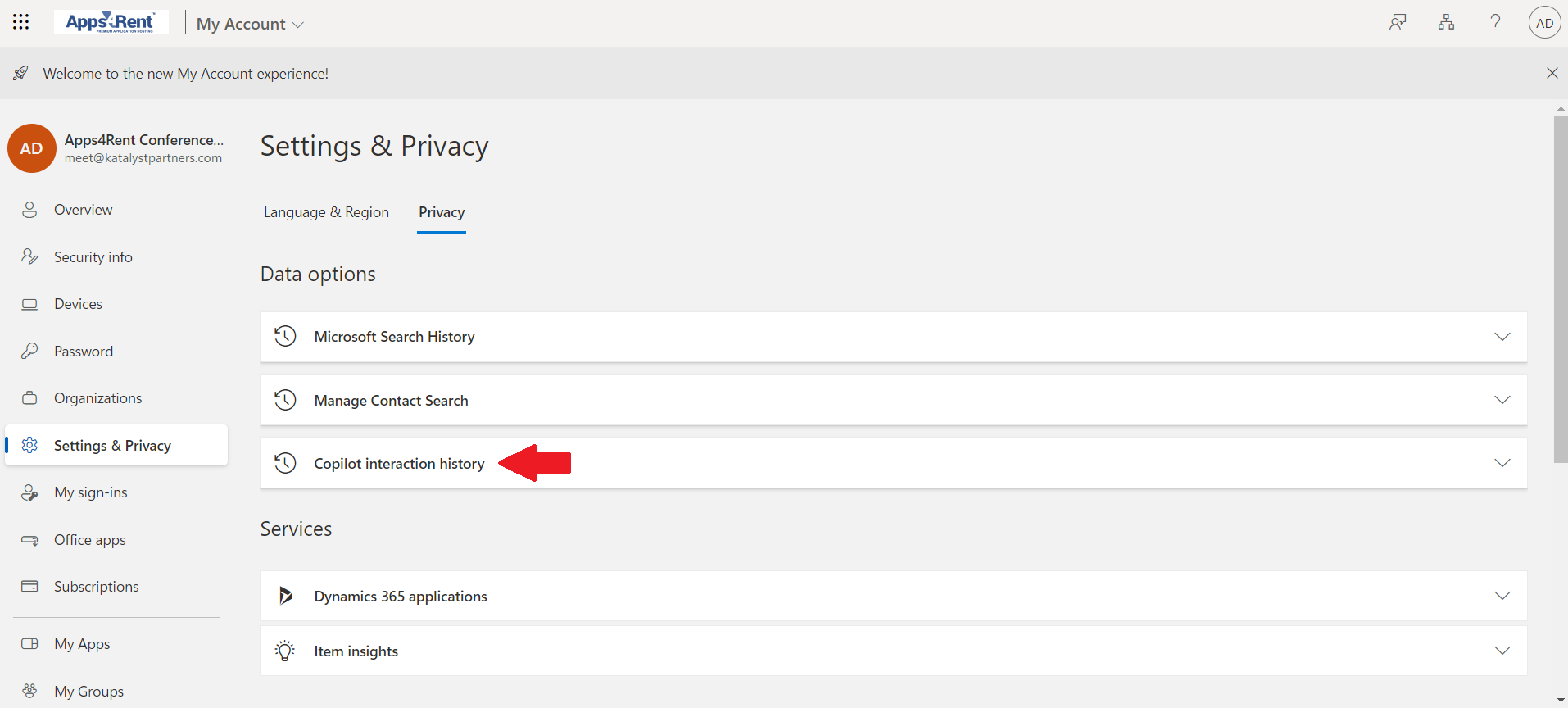
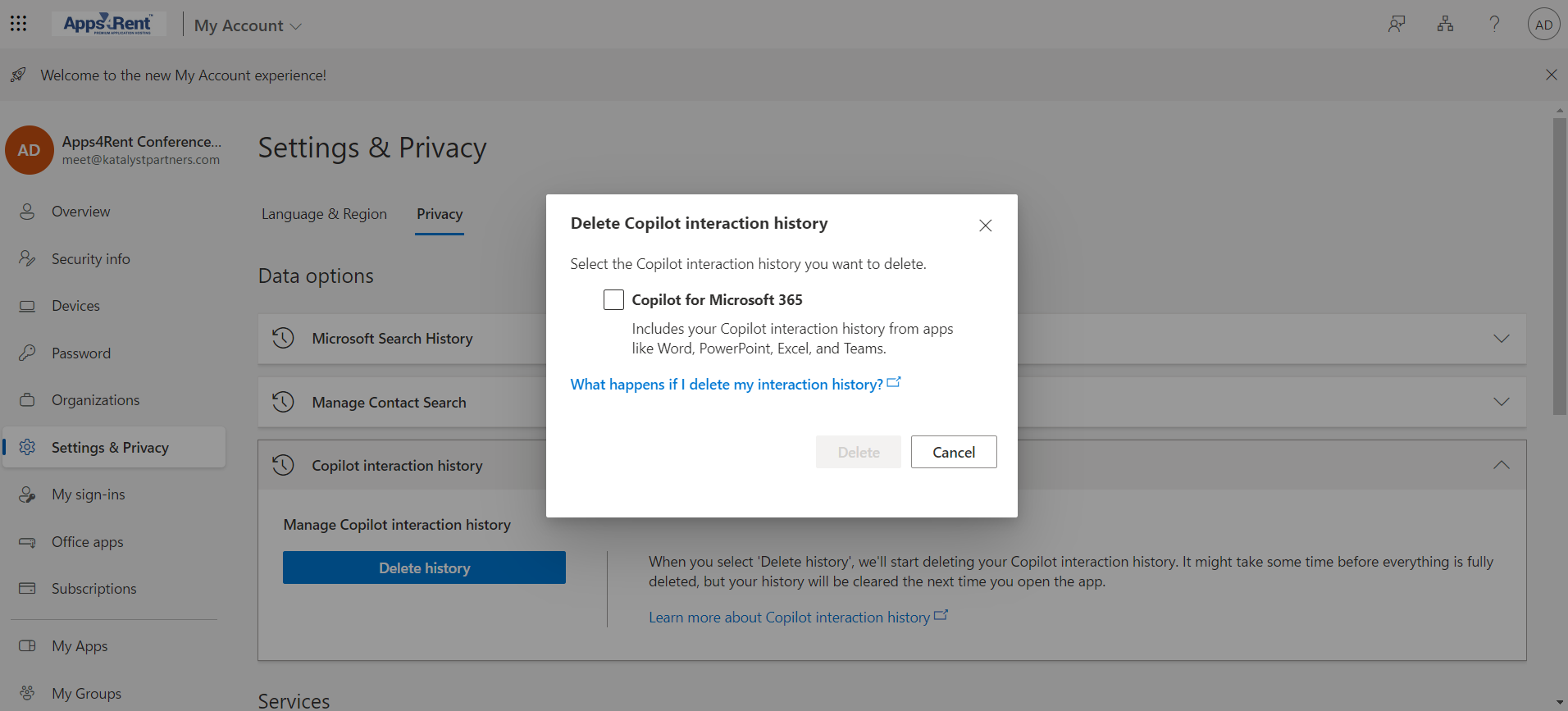
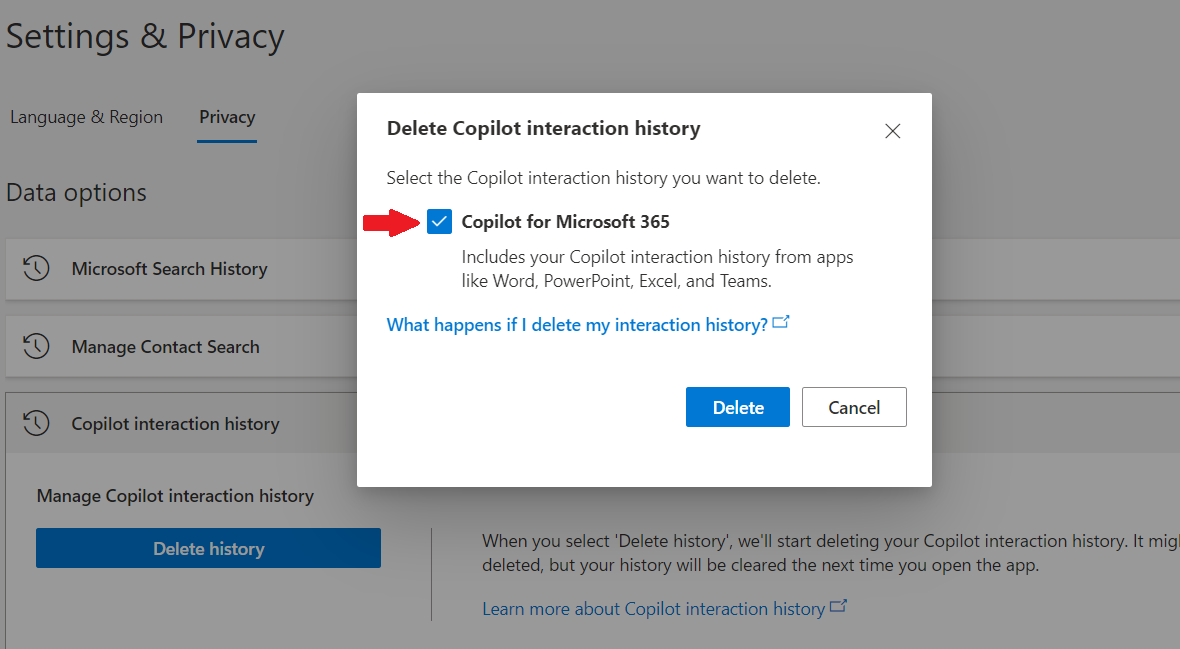
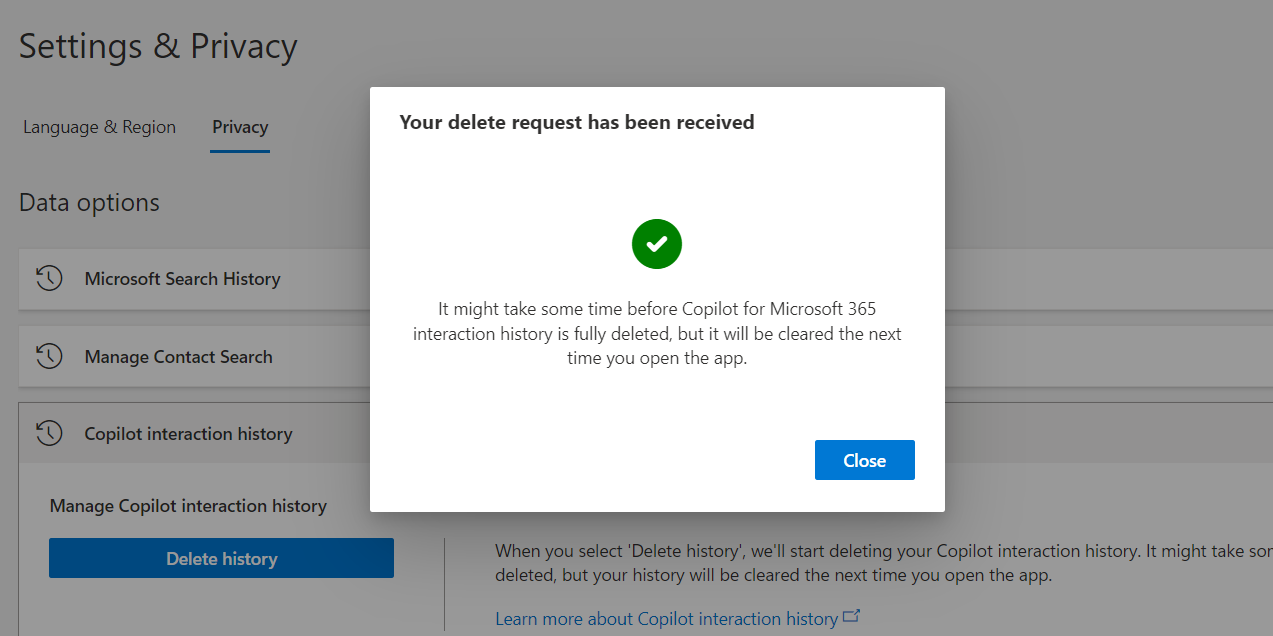
Now, you have the option to delete your Copilot for Microsoft 365 interaction history by visiting the Privacy page on myaccount.microsoft.com.
Stay updated with the latest in Microsoft 365! Explore our articles for the newest information and upcoming features of Copilot for Microsoft 365.

Apps4Rent – Tier 1 Office 365 Cloud Solution Provider
Copilot integrates with all your favorite Microsoft apps
Get started with
Microsoft Copilot today!


