Microsoft 365 Copilot for Web Designers and Developers
-
 Last updated: 11 June 2026
 Copilot,Microsoft Copilot
-
 Editorial Team
Microsoft 365 Copilot enables Web Designers and Developers to reach hundreds of millions of Microsoft 365 users by leveraging expertise, code, and tools. Microsoft is committed to helping you throughout the app life cycle using Microsoft 365 Copilot.
You can certainly use Microsoft Copilot to assist you in building a website. While Copilot itself doesn’t directly build websites, it can provide guidance, generate code snippets, and help troubleshoot issues you might encounter during the development process.
How Microsoft 365 Copilot Supports Web Designers and Developers
Whether you’re building a simple landing page or developing a full-featured web application, Microsoft 365 Copilot can assist at multiple stages of the development process. From generating code and troubleshooting issues to reviewing existing work, it can help streamline common web design and development tasks.
Here’s how Copilot can assist you:
- Designing the Layout: Copilot can help generate HTML and CSS code snippets based on your description of the desired layout.
- Adding interaction: If you want to add interactive elements to your website, Copilot can help generate JavaScript code snippets.
- Backend Development: If your website requires server-side scripting, Copilot can assist with generating code snippets in various backend languages like Node.js, Python, Ruby, etc.
- Database Management: Copilot can provide guidance on SQL queries and database management.
- Debugging: If you encounter errors or bugs, you can describe them to Copilot, and it can suggest potential solutions.
- Code Review: If you have written some code and want a second opinion, I can review it and suggest improvements or identify bugs.
Using Microsoft 365 Copilot to Generate Website Code
You can look at the scenario below and ask the prompt accordingly to the Microsoft 365 Copilot.
Scenario: You’re creating a website for a local bakery, and you want to add a form where customers can place orders.
Prompt:
“Can you help me to create an HTML code for customers to place bakery orders?”
Output: Based on your prompt Microsoft 365 Copilot will provide you the following response:
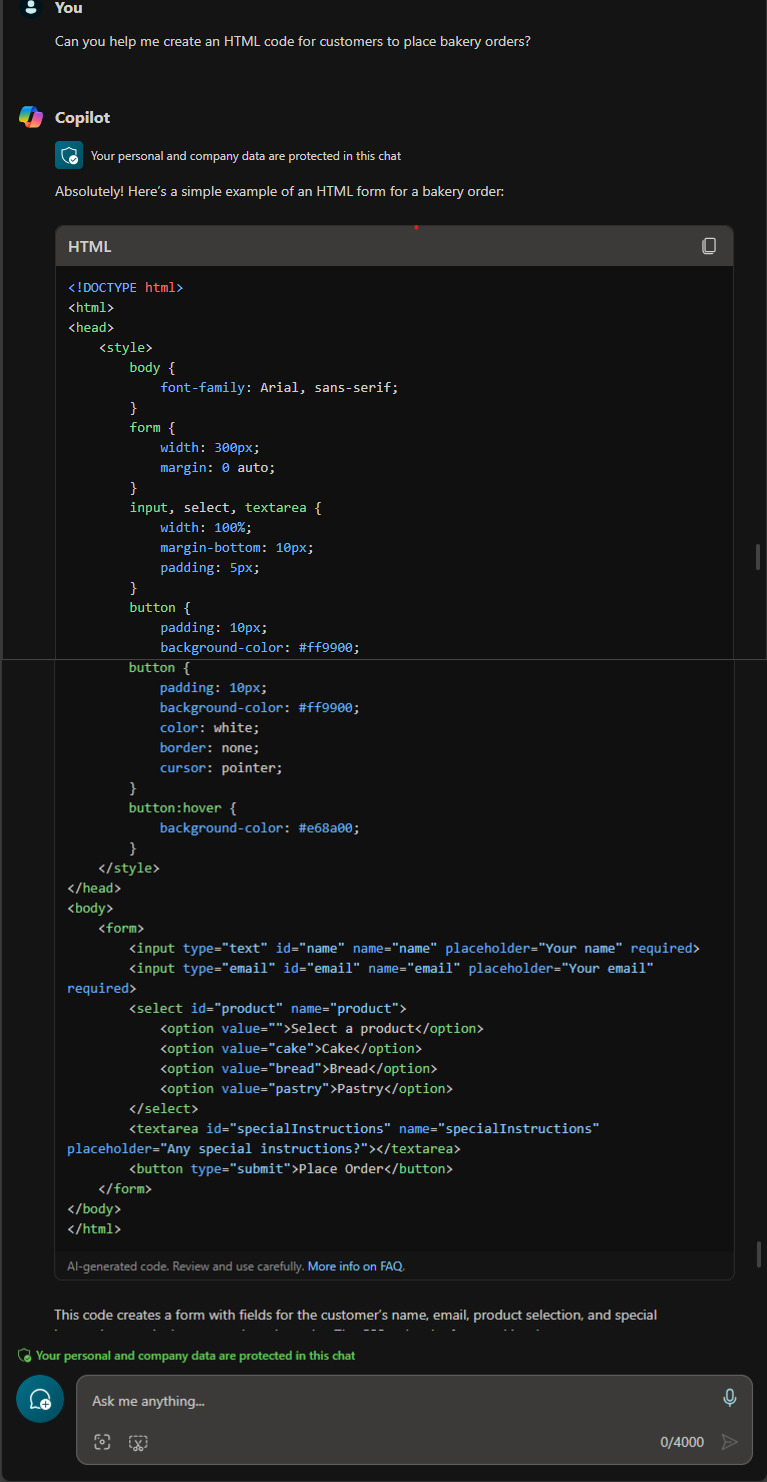
This is a very basic example. Depending on your needs, you might want to add more fields, quantity, delivery preferences, validation etc. Feel free to customize this form to match your bakery’s requirements.
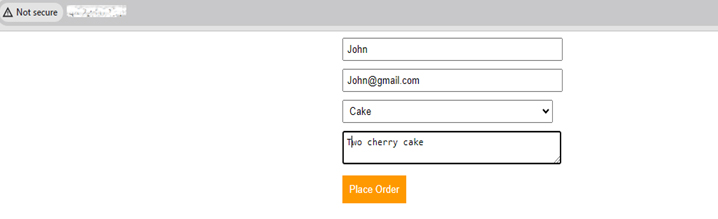
To test this HTML Code, you can launch a Virtual Machine, update the necessary dependencies on it, and create an “Index.html” page on where you can copy and paste above HTML Code.
Here’s the basic form look alike:
Accelerate Web Development with Microsoft 365 Copilot and Apps4Rent
Microsoft 365 Copilot can help web designers and developers work more efficiently by assisting with code generation, debugging, code reviews, and learning new technologies. By reducing time spent on repetitive tasks, it allows teams to focus on creativity, problem-solving, and delivering better user experiences. As a Microsoft Solutions Partner with extensive experience helping organizations adopt and optimize Microsoft technologies, Apps4Rent can help you evaluate, deploy, and maximize the value of Microsoft 365 Copilot for your development workflows. Contact our experts to learn more.

Apps4Rent – Tier 1 Office 365 Cloud Solution Provider
Copilot integrates with all your favorite Microsoft apps
Get started with
Microsoft Copilot today!