What Is Microsoft Volume Licensing? A Practical Guide for IT Teams
-
 Last updated: 19 February 2026
 Microsoft 365,Office 365
-
 Editorial Team
When organizations grow, the number of devices and users needing access to essential software grows with them. Managing individual licenses for each endpoint is not only tedious but also costly, inefficient, and difficult to oversee. Microsoft Volume Licensing offers a more practical solution.
With Microsoft Volume Licensing, businesses can purchase software licenses in bulk rather than individually. This approach simplifies deployment across multiple machines, streamlines activation, reduces administrative workload, and helps lower overall software costs.
Selecting the right volume licensing model is about more than just saving money. It’s also about maintaining control over your software environment. A poorly matched licensing setup can lead to compliance problems, audit exposure, or licenses going unused. By understanding how Microsoft Volume Licensing works and aligning it with your organization’s specific requirements, you can improve IT management, reduce unnecessary spending, and plan more effectively for the future.
How Does Microsoft Volume Licensing Work?
At its core, Microsoft Volume Licensing is designed to simplify software activation across multiple devices in an organization. Instead of manually entering unique license keys for each installation, businesses can use centralized methods that save time, reduce errors, and improve overall efficiency.
For smaller organizations with 1,000 or fewer machines, the Multiple Activation Key (MAK) is typically the preferred method. A single MAK allows Windows to be installed and activated on multiple devices. As new systems are added, the activation count can be extended. This approach works well in environments with limited infrastructure or where each device only needs to be activated once.
When internet-based activation is not practical or permitted, Microsoft provides an alternative called Key Management Services (KMS). With KMS, organizations can activate systems internally using a designated server within their own network. This option is especially useful in larger environments or in settings with strict security requirements, as it eliminates the need for individual devices to connect to Microsoft’s activation servers.
Distinguishing Volume Licensing from Subscription Licensing
To understand how Microsoft Volume Licensing works, it’s also important to distinguish it from subscription licensing.
- Volume licensing typically applies to operating systems like Windows 11. It provides perpetual use rights, allowing businesses to install and activate the OS across multiple machines under a single agreement.
- Subscription licensing, on the other hand, is commonly used for applications such as Microsoft Word, Excel, or Teams. These are delivered through services like Microsoft 365 and tied to user accounts rather than devices. Subscriptions offer access to the latest versions of software but require ongoing payments.
Key Benefits of Microsoft Volume Licensing
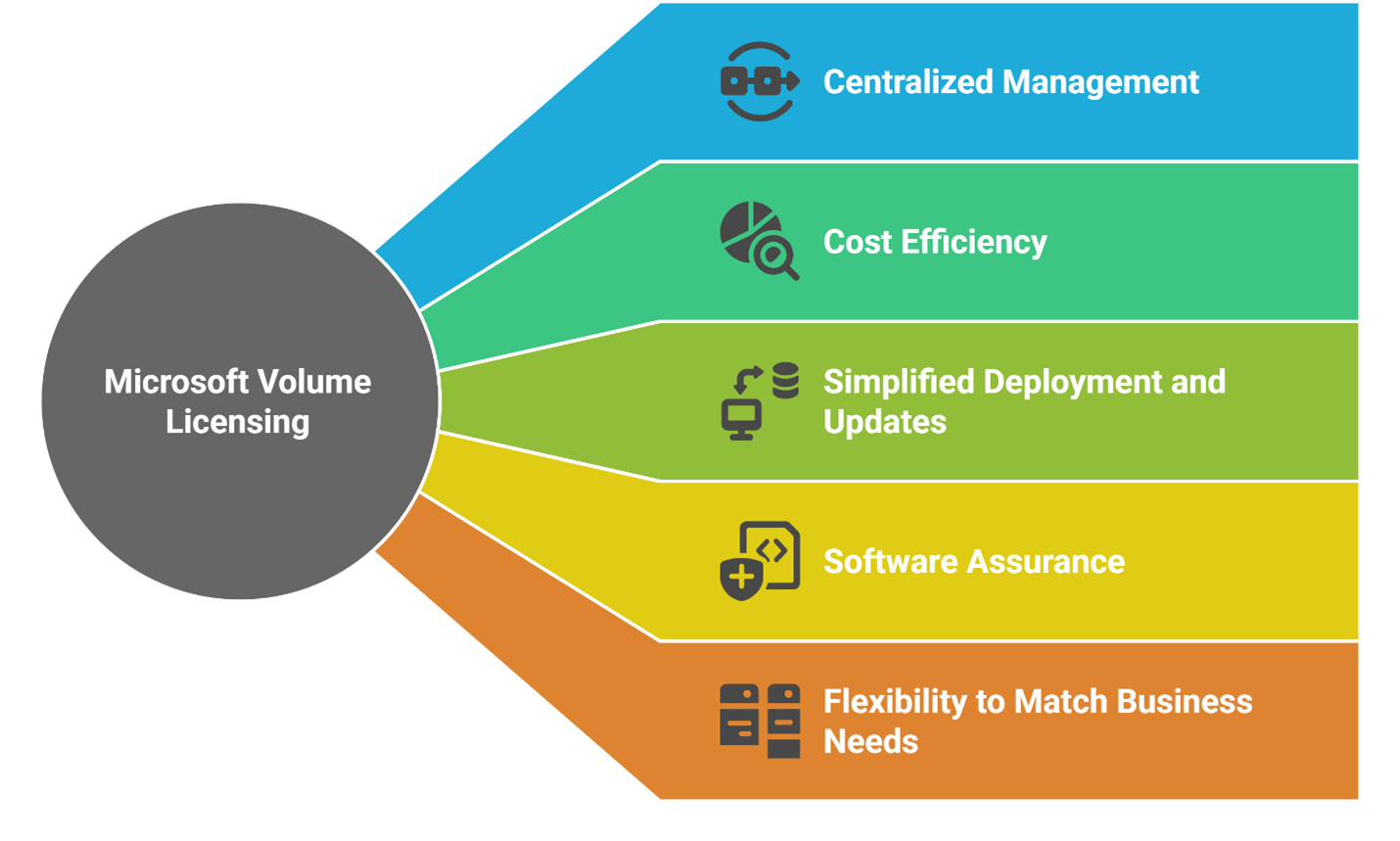
Microsoft Volume Licensing is not just a method for bulk software acquisition. It also delivers several practical advantages that help organizations manage and deploy software more efficiently. Below are the key benefits that make it a strong choice for businesses of all sizes:
-
Centralized Management
Volume Licensing simplifies license administration by allowing the use of a single software key. Through the Volume Licensing Service Center (VLSC), administrators can manage user access, monitor license usage, and handle activations from one location. This eliminates the need to track multiple keys and streamlines software deployment across the organization.
-
Cost Efficiency
By offering discounted pricing for bulk purchases, Volume Licensing helps reduce overall software costs. It also provides flexible licensing agreements and payment terms that can be adjusted according to the number of users, devices, or projected growth. This flexibility makes it easier for organizations to stay on budget while meeting their software needs.
-
Simplified Deployment and Updates
Instead of activating software manually on each device, organizations can use volume activation tools to automate deployment. This approach saves time and ensures uniformity across all systems.
-
Software Assurance
Many Volume Licensing agreements come with Software Assurance, which adds value by including product support, training materials, software upgrades, and enhanced usage rights. Features such as disaster recovery, license mobility, and access to deployment planning tools help organizations get the most from their investment.
-
Flexibility to Match Business Needs
Volume Licensing allows organizations to customize their licensing setup based on specific requirements. This includes modifying the number of licensed devices, setting contract durations, and choosing optional add-ons. As a result, businesses maintain greater control over their licensing strategy and renewal process.
The Importance of Optimizing Microsoft Volume Licensing
Failing to regularly review licensing can lead to significant and unnecessary costs. Many organizations continue to renew the same licenses year after year without checking whether they still reflect actual usage. This often results in overspending, misaligned license types, and increased exposure to audit-related issues.
Proper optimization ensures that licenses are matched to real business needs. In the case of Microsoft Volume Licensing, this means assessing how users interact with the software and assigning only what is necessary. By segmenting users based on their roles and actual software usage, businesses can avoid paying for capabilities that go unused. This approach has helped some organizations reduce costs by as much as 70 percent.
Microsoft Licensing Statements (MLS) provide detailed records of your license inventory and history. However, interpreting these documents can be complex. An independent assessment is often needed to uncover inefficiencies, identify underused licenses, and restructure agreements for better alignment with business goals.
Routine licensing reviews help control costs, reduce waste, and maintain compliance. With a clear understanding of how licenses are deployed and used, businesses can make smarter, more informed decisions that directly benefit their bottom line.
Also read: 5 Mistakes to Avoid While Deploying Office 365
Simplify Microsoft Licensing with Apps4Rent’s Guidance
Choosing between perpetual and subscription licenses comes down to how your organization plans to manage upgrades, budgets, and long-term needs. A perpetual license offers lifetime access to a specific version of the operating system with a one-time payment. In contrast, a subscription license provides continuous access to the latest features and updates in exchange for a recurring fee.
To make the most of your investment, it’s essential to select the model that aligns with your organization’s usage patterns, growth plans, and budgetary goals. Working with an experienced Microsoft Solutions Partner can simplify this process.
As a trusted Microsoft Solutions Partner, O365CloudExperts by Apps4Rent helps businesses of all sizes select and provision the right Office 365 and Microsoft Volume Licensing solutions. Whether you’re looking to optimize your licensing structure or plan a transition to subscription-based services, our team is ready to guide you at every step.